
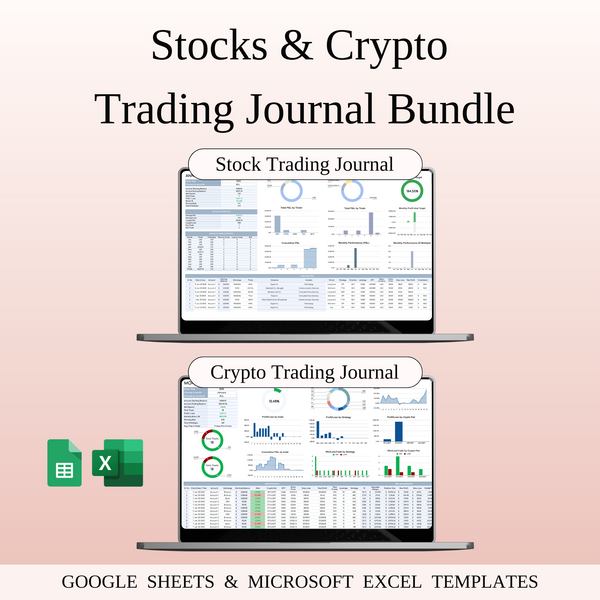


Stocks & Crypto Trading Bundle — for Google Sheets & Excel
Auto-applied at checkout
Buy 2+ items → Extra 40% OFF on total
Grab this template and 4 more with SpreadsheetsHub Membership
Get 5 TemplatesShop with confidence
Managing stock trades and crypto trades separately? Let’s simplify that.
This bundle brings together two powerful tools to help you stay organized, track your results, and make smarter decisions — whether you’re trading stocks, crypto, or both.
What’s Included:
-
Stocks Trading Journal — Log every trade, track your profit/loss, analyze performance by ticker, and manage your risk. Includes smart reports, visual calendars, and position sizing tools to help you improve your results over time.
-
Crypto Trading Journal — Keep all your crypto trades in one place. Track entries, exits, size, profit/loss, and even your strategy performance. It’s perfect for reviewing your trades and building better habits as a crypto trader.
Why You’ll Love This Bundle:
- Easy to use, even if you’re not a spreadsheet expert
- Works with both Google Sheets & Excel
- Auto-calculations save you time
- Helps you trade with structure and reduce emotional decisions
- Track results, spot patterns, and grow your skills
- Ideal for beginners and experienced traders
Perfect for:
- Stock traders who want more consistency
- Crypto traders who need better tracking tools
- Anyone trading both markets and wants everything organized
- Those who want to improve their trading strategy and stay on top of performance
This bundle keeps things simple, clear, and practical — so you can focus on improving your trades, not wasting time with messy notes or complicated setups.
WHAT’S INCLUDED?
- Step-by-step instructions
- 8 Templates of Spreadsheets
- 2 Sample Google Sheet with Mock Data
- 2 Blank Google Sheet
- 2 Sample Excel with Mock Data
- 2 Blank Excel
- Editable in Google Sheets and Microsoft Excel
- Compatible with MAC, PC, Phones, or Tablets
HOW IT WORKS & REQUIREMENTS
SYSTEM REQUIREMENTS:
To ensure all features and automated functions work correctly, you will need:
- Microsoft Excel: A subscription to Microsoft 365 (formerly Office 365) is strictly required. Older versions (Excel 2019 or earlier) may not support all formulas.
- Google Sheets: A free Google Account if you prefer using the web-based version.
- Device: A desktop or laptop is highly recommended for the best experience. Mobile devices may have limited editing capabilities.
HOW IT WORKS:
- Purchase and download your files instantly.
- Open the PDF file to access your unique Google Sheets link.
- Open the Excel file directly if using Microsoft 365.
- Follow the setup instructions inside and start planning!
IMPORTANT TO KNOW:
- Compatibility: This template is exclusively designed for Microsoft 365 and Google Sheets. It is not compatible with Numbers (Apple), LibreOffice, or OpenOffice.
- Refund Policy: Due to the instant nature of digital downloads, no refunds or exchanges can be given once the files are downloaded. Please verify your software compatibility before purchase.
- Personal Use Only: Your purchase grants you a single-user license. Re-selling, sharing, or distributing this template in any form is strictly prohibited and protected by copyright law.
DISPLAY & COLOR DISCLAIMER: The visual appearance of the spreadsheet may vary slightly depending on your screen resolution, color settings, and device hardware. For the best experience, we recommend using a desktop or laptop.
NEED HELP? If you have any questions, feel free to reach out to us at spreadsheetshub.office@gmail.com or info@spreadsheetshub.com. You can also contact us on WhatsApp for assistance.

