
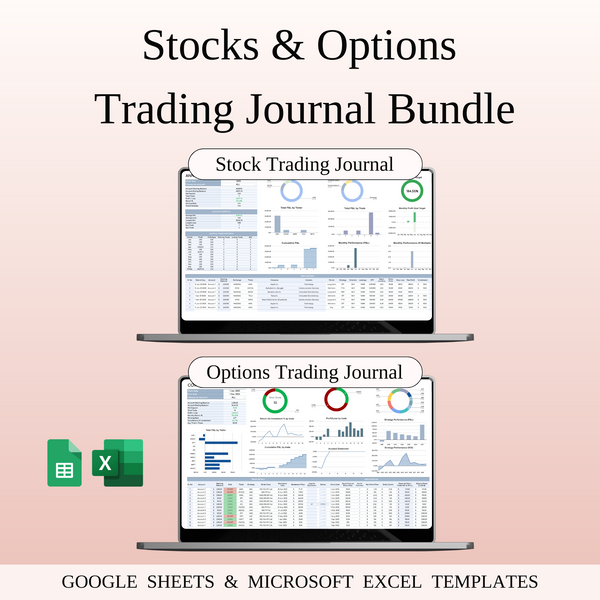


Stocks & Options Trading Bundle – Google Sheets & Excel
Auto-applied at checkout
Buy 2+ items → Extra 40% OFF on total
Grab this template and 4 more with SpreadsheetsHub Membership
Get 5 TemplatesShop with confidence
If you trade stocks or options, you already know — keeping track of your trades is the difference between guessing and actually improving. That’s where this bundle comes in.
We’ve included two easy-to-use trading journals that help you stay organized, analyze your trades, and make better decisions over time:
-
Stocks Trading Journal — perfect for logging all your stock trades. Track entries, exits, profit & loss, your strategy, and personal notes. It helps you spot patterns, measure performance, and stay consistent in your trading.
-
Options Trading Journal — specifically designed for options traders. Record your calls, puts, spreads, and other strategies. Keep track of strike prices, premiums, expiration dates, outcomes, and lessons learned — so you can sharpen your edge and reduce mistakes.
Who is this for
- New traders who want to build good habits from the start
- Experienced traders who want more structure and clear trade records
- Anyone tired of “winging it” and ready to trade based on real data and personal insights
Key Features
- Ready-to-use in Excel & Google Sheets
- Simple, clean design that doesn’t overwhelm you
- Fully customizable to match your trading style
- Automatic profit/loss tracking
- Dedicated space for journaling your emotions and mindset
- Clear stats and visual summaries to track progress over time
Why it helps
- Helps you trade with clarity and confidence
- Makes it easier to see what’s working — and what isn’t
- Keeps your trades organized in one place
- Encourages discipline and self-review
- Saves time — no need to create your own templates from scratch
Whether you trade stocks, options, or both — this bundle helps you stay focused, avoid repeating mistakes, and grow your trading skills faster.
Track your trades. Improve your strategy. Trade smarter.
WHAT’S INCLUDED?
- Step-by-step instructions
- 8 Templates of Spreadsheets
- 2 Sample Google Sheet with Mock Data
- 2 Blank Google Sheet
- 2 Sample Excel with Mock Data
- 2 Blank Excel
- Editable in Google Sheets and Microsoft Excel
- Compatible with MAC, PC, Phones, or Tablets
HOW IT WORKS & REQUIREMENTS
SYSTEM REQUIREMENTS:
To ensure all features and automated functions work correctly, you will need:
- Microsoft Excel: A subscription to Microsoft 365 (formerly Office 365) is strictly required. Older versions (Excel 2019 or earlier) may not support all formulas.
- Google Sheets: A free Google Account if you prefer using the web-based version.
- Device: A desktop or laptop is highly recommended for the best experience. Mobile devices may have limited editing capabilities.
HOW IT WORKS:
- Purchase and download your files instantly.
- Open the PDF file to access your unique Google Sheets link.
- Open the Excel file directly if using Microsoft 365.
- Follow the setup instructions inside and start planning!
IMPORTANT TO KNOW:
- Compatibility: This template is exclusively designed for Microsoft 365 and Google Sheets. It is not compatible with Numbers (Apple), LibreOffice, or OpenOffice.
- Refund Policy: Due to the instant nature of digital downloads, no refunds or exchanges can be given once the files are downloaded. Please verify your software compatibility before purchase.
- Personal Use Only: Your purchase grants you a single-user license. Re-selling, sharing, or distributing this template in any form is strictly prohibited and protected by copyright law.
DISPLAY & COLOR DISCLAIMER: The visual appearance of the spreadsheet may vary slightly depending on your screen resolution, color settings, and device hardware. For the best experience, we recommend using a desktop or laptop.
NEED HELP? If you have any questions, feel free to reach out to us at spreadsheetshub.office@gmail.com or info@spreadsheetshub.com. You can also contact us on WhatsApp for assistance.

